



Table of Contents
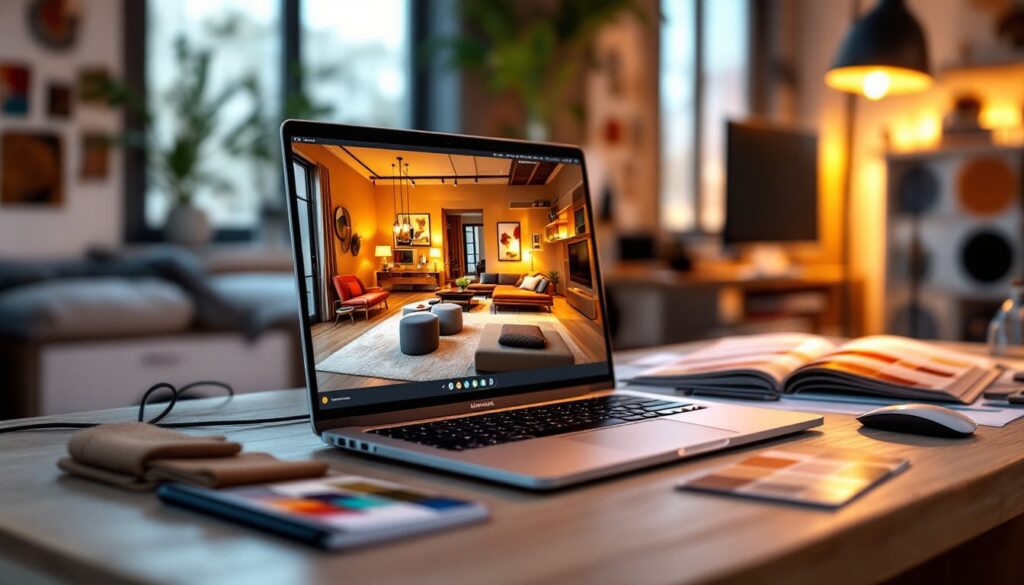
ToggleIf you’re serious about interior design, whether you’re planning a full home renovation or reimagining a single room, your laptop is your most important tool. You’ll spend hours in design software, juggling color palettes, 3D renderings, and mood boards. A laptop that can’t keep up will drain your time and frustration. You need something with enough processing power to handle CAD programs smoothly, a display accurate enough to trust your color choices, and portability to sketch ideas wherever inspiration strikes. This guide walks you through what matters most when choosing a laptop for interior design work, highlights the features that matter, reviews top contenders for 2026, and helps you think through the budget trade-offs.
Key Takeaways
- The best laptop for interior design requires at least an Intel Core i7 or AMD Ryzen 7 processor with 16GB RAM (32GB preferred) to handle CAD software and multitasking smoothly.
- Display quality is non-negotiable: choose an IPS panel with 1440p+ resolution, Delta E under 2, and 100% sRGB coverage to ensure accurate color decisions for client presentations.
- Dedicated NVIDIA RTX or AMD Radeon Pro graphics significantly accelerate 3D rendering and viewport performance, saving hours on heavy design work compared to integrated graphics.
- For interior design work, prioritize laptops under 4.5 pounds with 8+ hours battery life if you meet clients on-site, plus 512GB–1TB SSD storage for design files and asset libraries.
- The $1,500–$4,000 price range offers the best value for professional interior design; top contenders include MacBook Pro 16-inch, Dell XPS 15, Lenovo ThinkPad P Series, and ASUS ProArt.
- Avoid brand loyalty alone—compare specs across models, check upgrade options, and watch for seasonal pricing to maximize performance per dollar.
What To Look For In An Interior Design Laptop
Processing Power And RAM Requirements
Interior design software demands real processing muscle. Apps like SketchUp, AutoCAD, and Revit need a processor that won’t choke when you’re rotating a 3D model or rendering a high-res visualization. Look for at least an Intel Core i7 or AMD Ryzen 7 processor (current generation). These handle multitasking, having a design file open, reference images in the browser, and Slack running at the same time, without dragging.
RAM is equally critical. 16GB is the minimum for comfortable design work: 32GB is better if you work with complex models or large CAD files. More RAM lets you keep multiple programs running without constant loading. Think of it like desk space, a cramped work surface slows you down, but a spacious one lets ideas flow.
Display Quality And Color Accuracy
Your screen is where you make color and layout decisions. A mediocre display misleads you. You need a laptop with an IPS panel (not TN), which maintains color accuracy at wider angles, and at least 1440p resolution to see detail. More important: color accuracy (Delta E under 2) and 100% sRGB color gamut coverage. If your display shifts colors when you tilt it slightly, you can’t trust your design decisions.
Brightness matters too. At least 400 nits ensures you can see your work clearly indoors and outdoors. Gloss screens look vibrant but create reflection problems: matte finishes reduce glare and are gentler for long work sessions.
Top Laptop Features For Design Work
Beyond the basics, certain features elevate the design experience. Dedicated graphics (NVIDIA RTX or AMD Radeon Pro) speeds up 3D rendering and viewport performance in heavy software. Integrated graphics work for lighter design tasks, but dedicated GPUs save you hours when generating client presentations.
Portability and battery life matter if you meet clients on-site or work from coffee shops. Look for laptops under 4.5 pounds and at least 8 hours of real-world battery life. You’re planning a kitchen remodel at a client’s house, your laptop needs to last the consultation without hunting for an outlet.
Storage should be at least 512GB SSD, preferably 1TB. Design files and asset libraries eat space fast. SSDs are non-negotiable: they make software launch instantly and file loading seamless. Ports matter too: multiple USB-C or Thunderbolt ports let you connect external monitors, storage drives, and color calibration tools without a hub.
Thermally, your laptop shouldn’t sound like a jet engine during rendering. Modern cooling designs keep fans quiet while maintaining performance, crucial when you’re on a video call with a client. Keyboard comfort is underrated: you’ll type specifications and notes constantly. Test it before buying.
Best Laptops For Interior Designers In 2026
Several standouts balance performance, display quality, and design-specific features for 2026:
MacBook Pro 16-inch (M4 Pro/Max) remains the gold standard for design professionals. The Liquid Retina XDR display delivers 1,000 nits sustained brightness and exceptional color accuracy, you can trust every shade. The M4 Max handles heavy rendering fast. Downsides: premium pricing and the macOS ecosystem isn’t for everyone. Best for: designers already in Apple’s ecosystem who prioritize display quality and don’t need Windows-only software.
Dell XPS 15 offers excellent value. The OLED option provides incredible contrast and color accuracy, matching pricier competition. Handles SketchUp and Revit smoothly with RTX graphics. Good keyboard, solid build quality. Battery life is respectable at 10+ hours. Best for: design professionals wanting Windows compatibility with high-end performance at a more reasonable price point.
Lenovo ThinkPad P Series (P1 or P14s Pro) is built explicitly for engineering and design work. Certified for CAD software, military-grade durability, and excellent thermal management. The 3:2 aspect ratio display gives more vertical workspace, valuable for design software. Reliable, customizable, and designed to last. Best for: serious professionals who value stability and long-term reliability over trendy aesthetics.
ASUS ProArt Laptop combines Pantone-validated color accuracy with strong performance. Good balance of power and price. Weighs under 4 pounds with decent battery life. Available with Intel or AMD processors. Best for: budget-conscious designers who don’t want to sacrifice color accuracy.
Research from sources like Digital Trends and Tom’s Guide consistently rank these models highly for professional creative work, validating their real-world performance in design workflows.
Budget Considerations And Value
Interior design laptops range from $1,500 to $5,000+. Here’s how to think about the investment:
Under $1,500: Entry-level options like ASUS Vivobook or Lenovo IdeaPad with Ryzen 5 and 16GB RAM handle light design work and 2D visualization. Fine for hobbyists and learning. Performance stutters with heavy 3D models or complex renderings.
$1,500–$2,500: Sweet spot for serious hobbyists and semi-professional work. Mid-range MacBook Air, Dell XPS 13–15 base config, or ThinkPad E Series deliver solid performance, good displays, and acceptable battery life. Handles most real-world design work without compromise.
$2,500–$4,000: Professional-grade laptops optimized for design. Premium displays, dedicated GPUs, excellent thermal management. Worth it if design is your livelihood or a serious side business generating income.
$4,000+: Top-tier performance. Diminishing returns unless you’re running massive CAD assemblies, heavy rendering, or working 10-hour days. Marketing and branding matter more at this price point.
Don’t fall for brand loyalty alone. Compare specs across brands, a well-configured ThinkPad with RTX 4060 might outperform a baseline MacBook Pro on raw design performance. Watch for sales: pricing fluctuates seasonally. Consider interior design tips and resources that guide your workflow, a better laptop speeds up execution but doesn’t teach technique.
Factors like RAM and GPU upgrades vary by model. Some laptops let you upgrade: others are soldered permanently. Check this before buying, future-proofing matters when you’ve paid this much.
Conclusion
Choosing the right laptop for interior design boils down to balancing processing power, display accuracy, and your budget. Prioritize a strong processor and plenty of RAM for smooth multitasking, a color-accurate display you can trust, and reliable cooling so your laptop stays quiet during client calls. Whether you pick a MacBook Pro, Dell XPS, ThinkPad, or ASUS model depends on your workflow, software preferences, and budget. Invest in a laptop that supports your creativity, not one that slows it down.